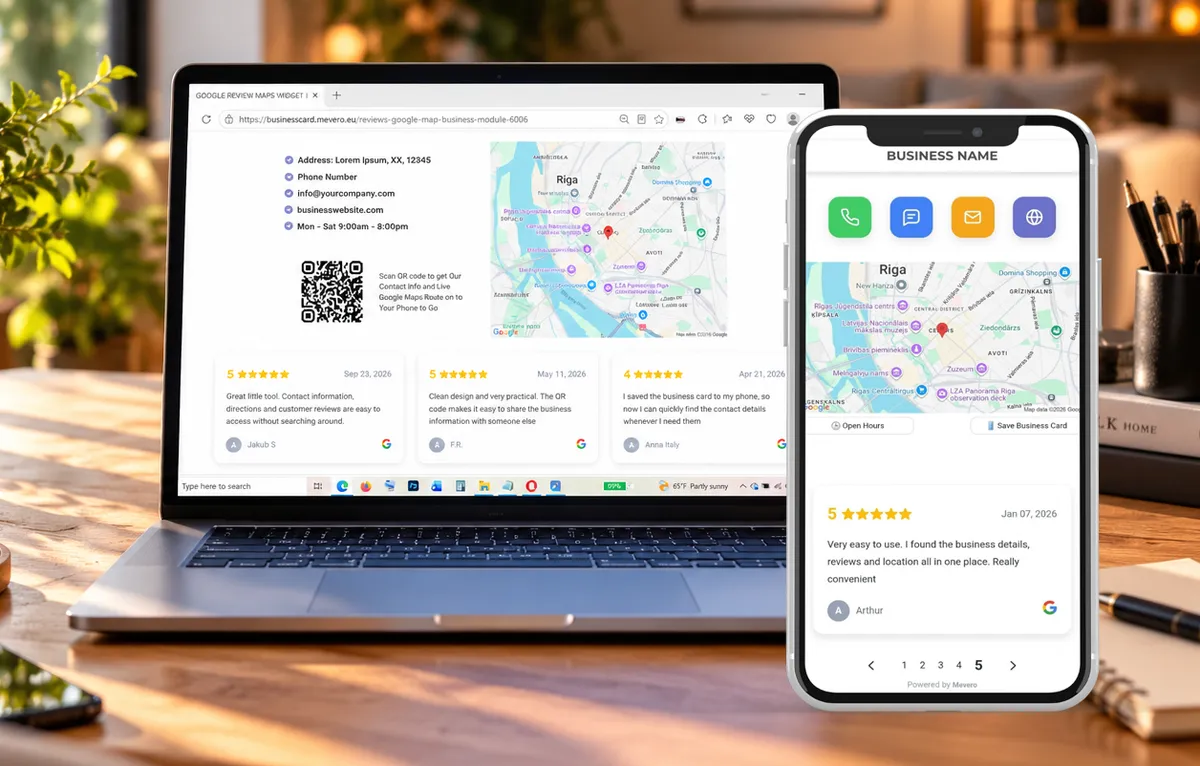
All-in-One Google Business Widget. Business Card, Review QR, One Tap Contacts
Scan the QR Code. Get All Business Details on Your Phone in Seconds.

BUSINESS CARD
Contact details and opening hours in one compact MOBILE BUSINESS CARD.
GOOGLE MAPS
Your customers will get your business location and directions on live map without any input or search.

GOOGLE REVIEWS
Display real customer reviews from your Google Business Profile. After service QR to live review included
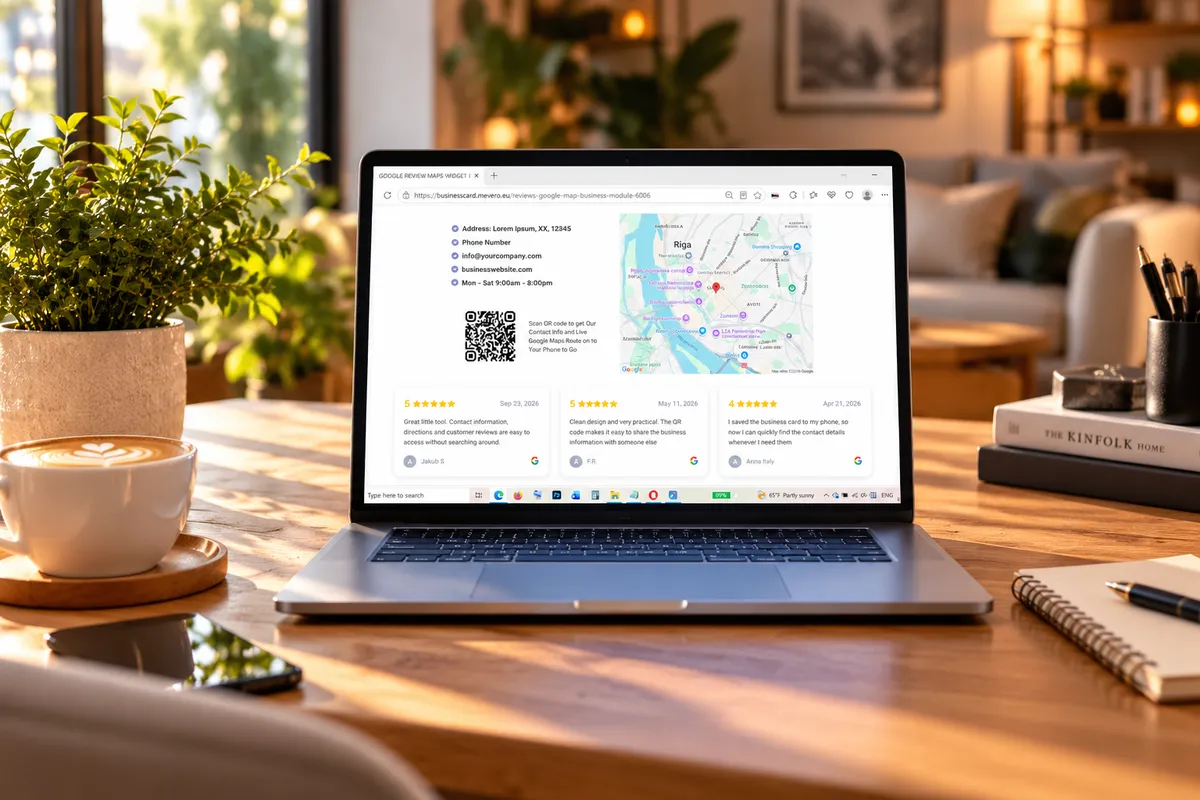
DESKTOP FEATURES
Google Business Module Widget
Everything your customers need in one smart widget — business details, opening hours, live map, Google Reviews and QR Business Card. Embed it into any website in minutes.
QR
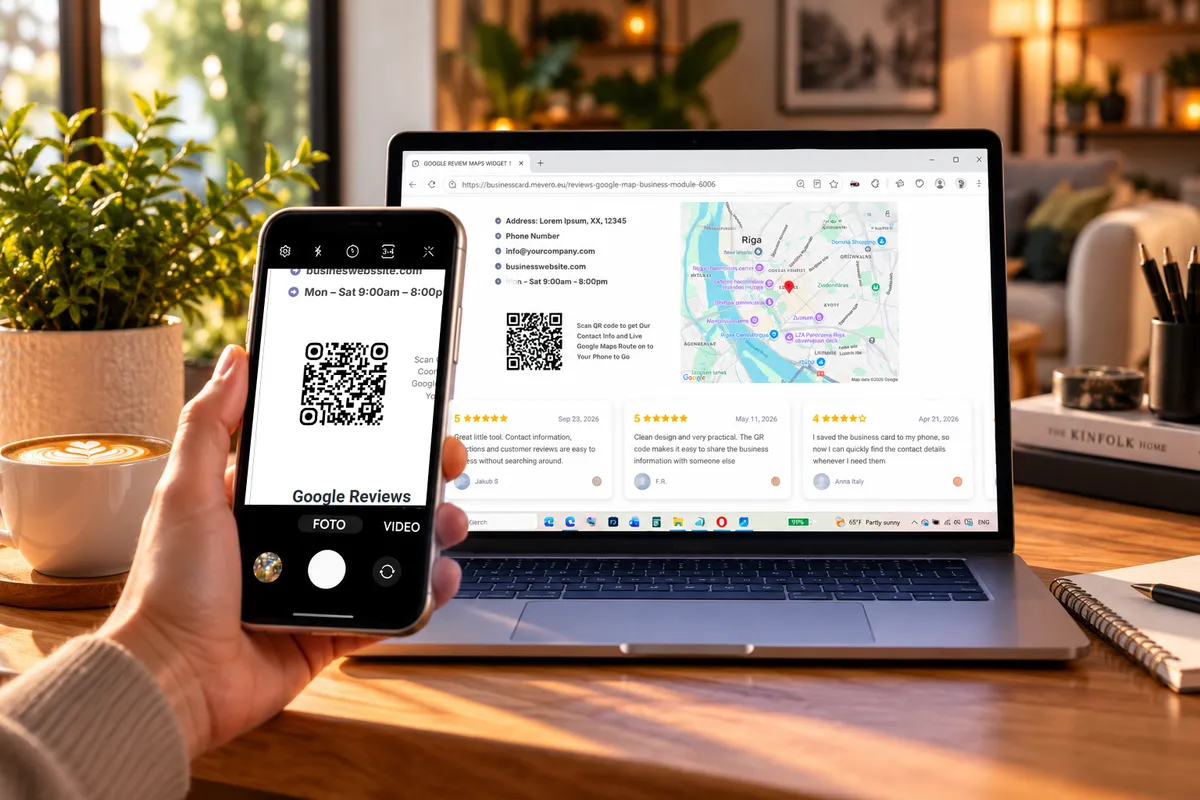
Scan QR. Get the Business Card on Your Phone.
Scan the QR code to instantly open a compact mobile BUSINESS CARD with contact details, opening hours, directions, Google Reviews in single module. No app or installation required.
MOBILE FEATURES
Built for Mobile.
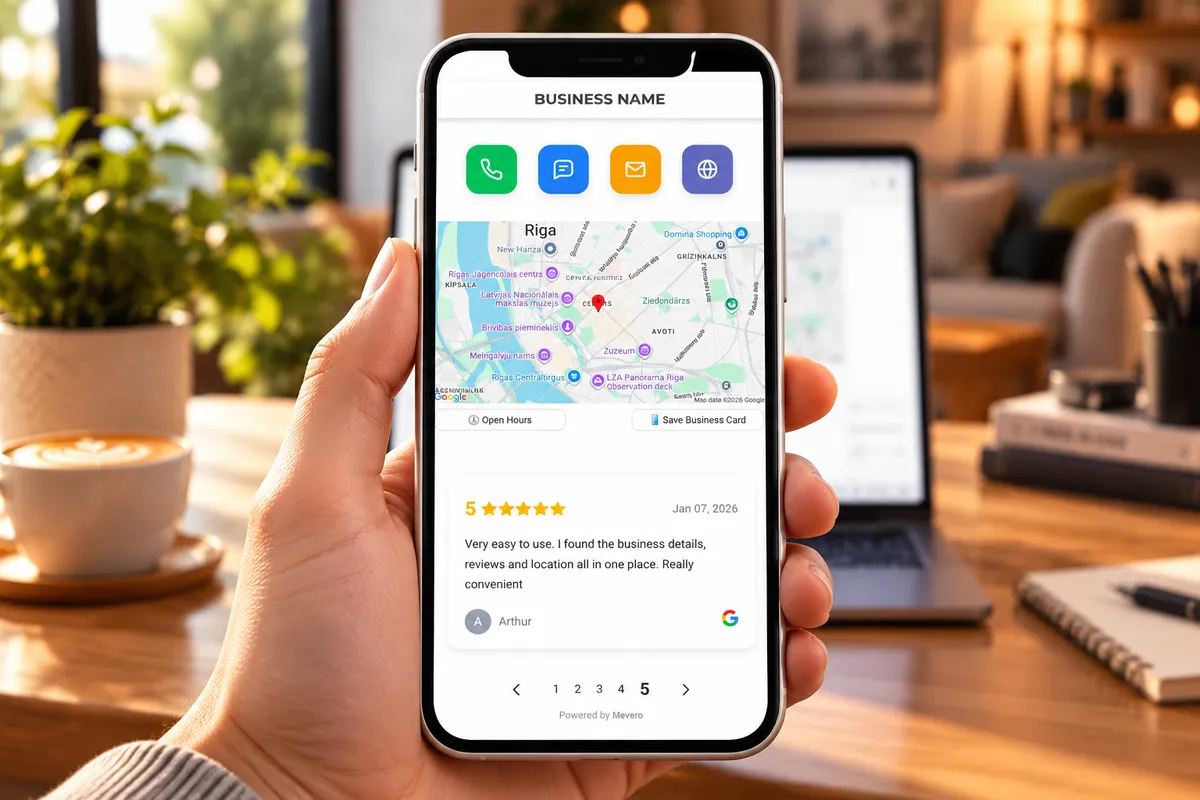
Digital Business Card
Give customers everything they need on one screen. One-tap action buttons let them call, send a message, email or open your website instantly — no phone numbers, email addresses or links to copy and type.
Live map, opening hours and Google Reviews are always right at their fingertips.


DOWNLOAD QR
Review QR Code Included
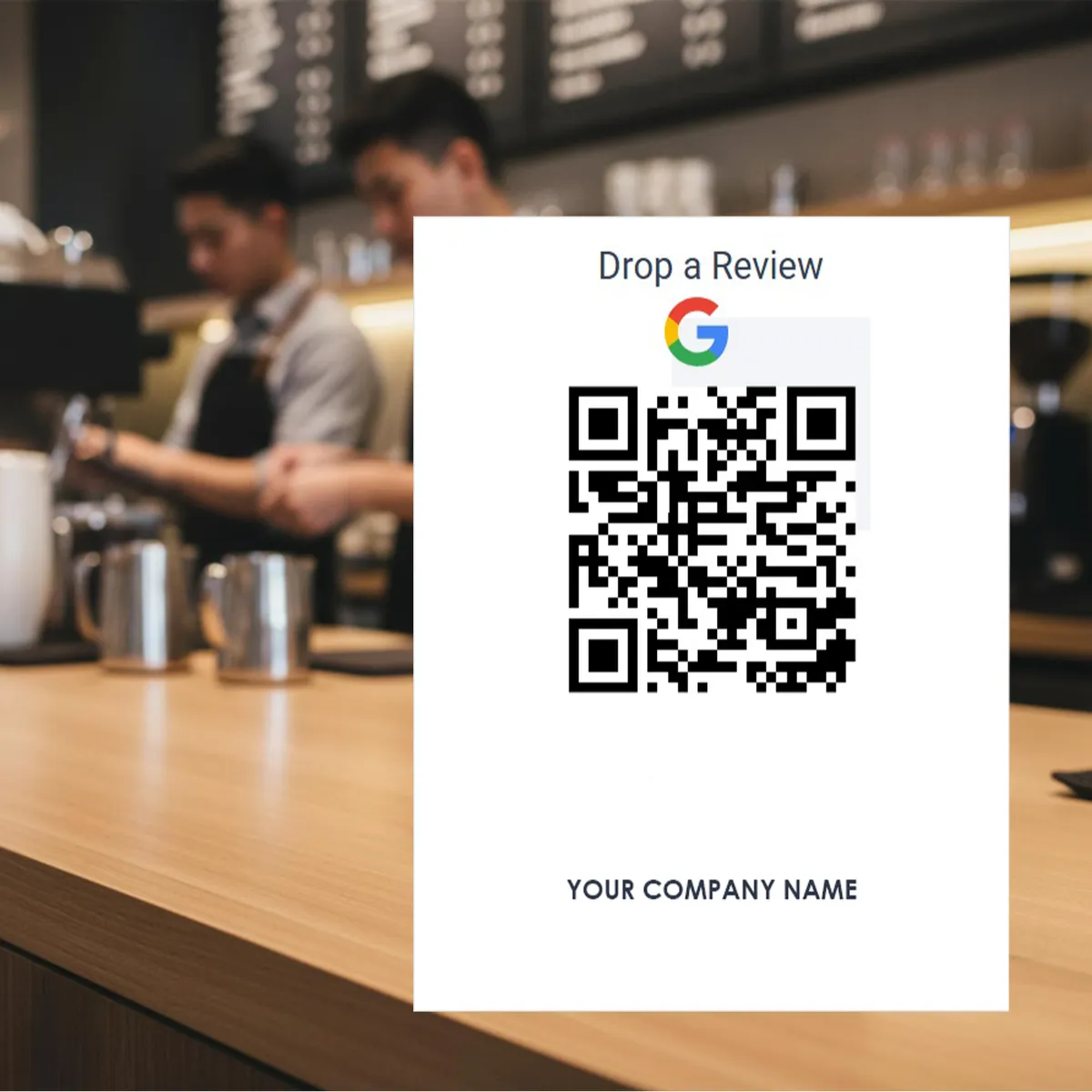
A ready-to-use Feedback QR code is included and will connected directly to your Google Business Profile. Download and share it with your customers anywhere - on printed materials, business cards, flyers, menus, storefronts, packaging social media or thank you emails.
Customers simply scan the code to instantly access your business details, contact buttons, opening hours, location and Google Reviews on their phone.
GENERATE REVIEWS
Make It Easy to Leave a Google Review
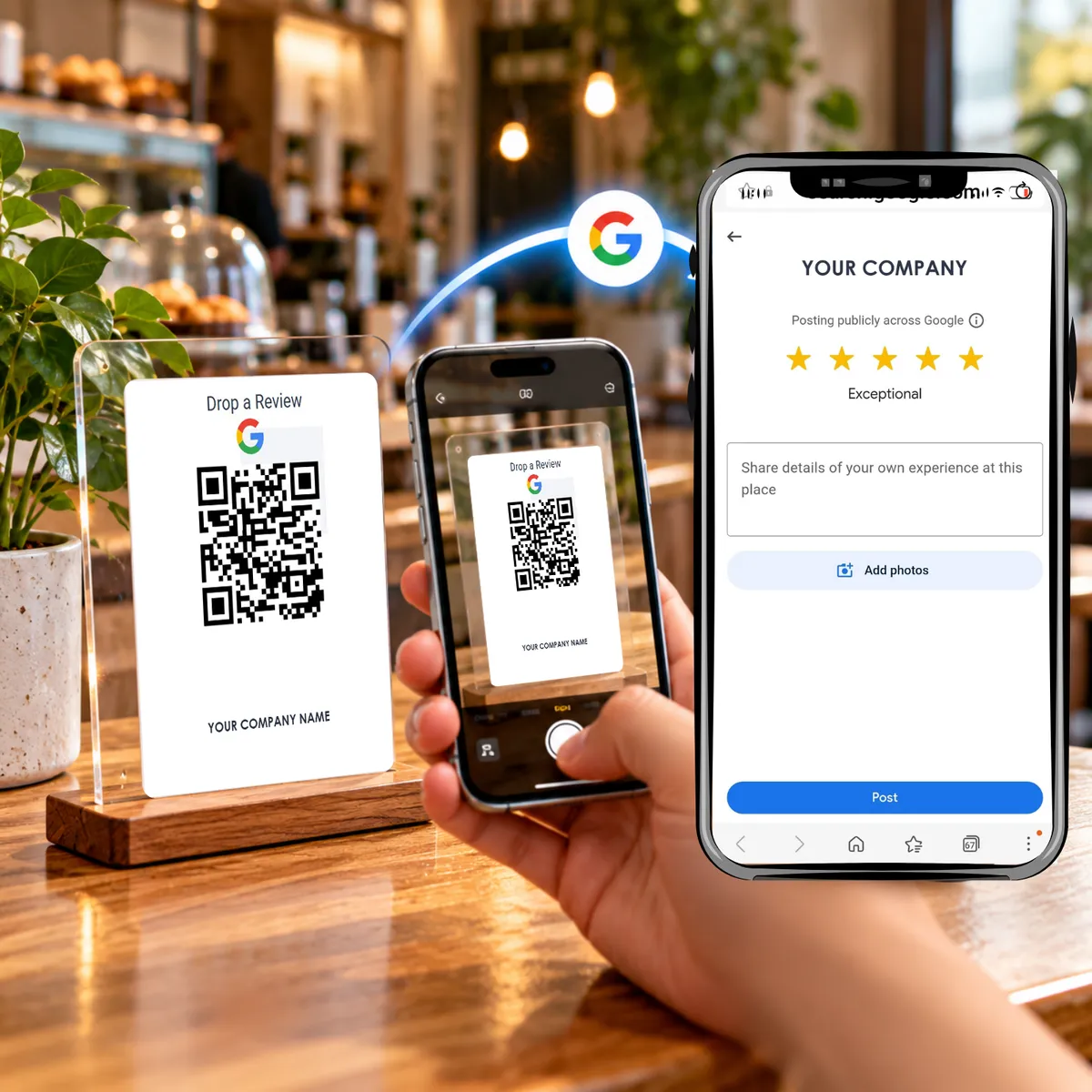
Give customers a simple way to leave a review. Your ready-to-use QR code takes them directly to your Google review page — no searching, typing or extra steps.
A personalized QR review card is included with your package. Download it, print it and place it at your counter, reception, table or any customer touchpoint.
SETUP
Easy Setup & Google Business Profile Optimization Dashboard
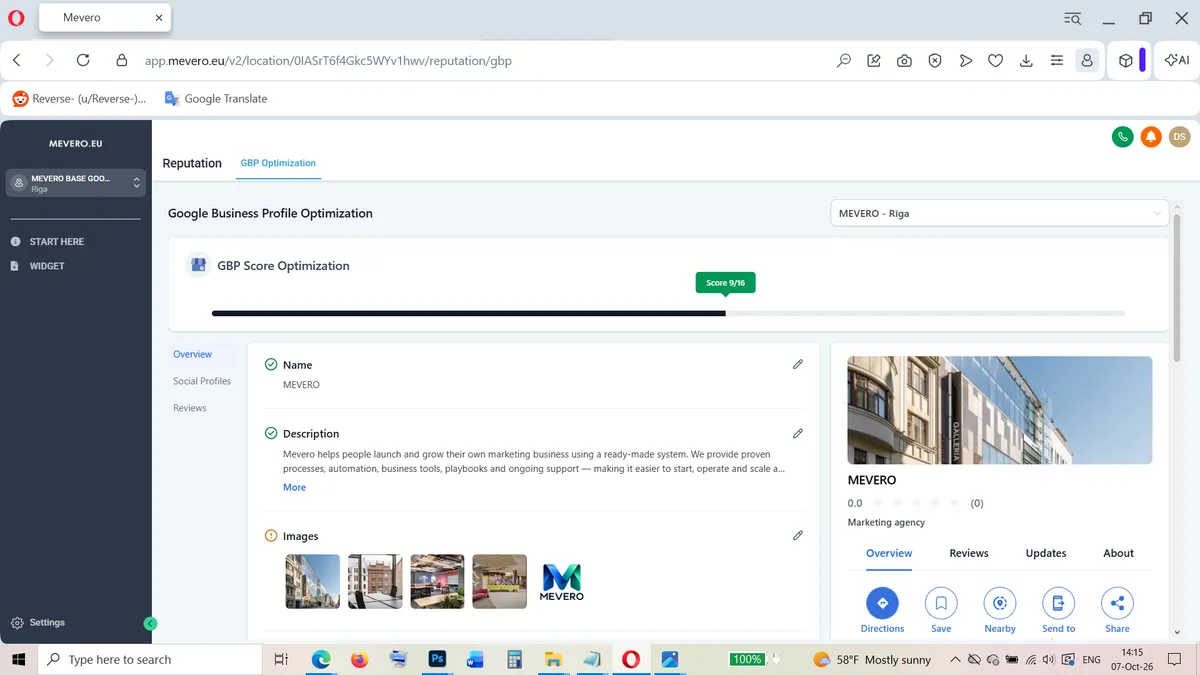
Connect Your Google Business Profile in Minutes
No technical skills required. Simply sign in with Google, select your Business Profile and connect it to Mevero. Your business information is automatically linked to your dashboard. We set up and configure your business module for you. The Mevero Business Module is more than just a widget. — a live connection to your Google Business Profile.
Do I need technical skills to set up Mevero?
No. Simply connect your Google Business Profile following our step-by-step installation in to dashboard. Mevero handles the initial business module setup and configuration.
Do I need to install additional software?
No. Mevero is accessed through your browser, so there is no additional application to install.
How do I install the Mevero widget on my website?
Installing the Mevero widget is quick and easy. Just follow these steps:
1.Open your website editor.
2.Go to the page where you want to display the widget.
3.Add an HTML / Embed / Custom Code block.
4.Copy the embed code from your Mevero Dashboard → WIDGET.
5.Paste the code into the block.
6.Save your changes and publish your website.
No coding skills required!
Pricing
- Google Business Profile Connection
- Google Business Module
- Live Google Map
- Google Reviews
- QR Business Card
- Business Information
- Opening Hours
- One-Tap Contact Buttons
- Mobile Business Card
- Google Review QR
- Responsive Mobile Version
- Ready-to-Embed Code